The article explains how to manage customers in the SiteVibes loyalty program, including searching for customers, adjusting their points, and viewing their activity. It details using the loyalty tab to manually add or subtract points and describes the various activity tabs to track changes, points earned, rewards, referrals, and available ways to earn points.
Easily manage customers in your loyalty program, add points, see activity and more.
Managing Customers
Sign in to your SiteVibes account and navigate to Data -> Customers. Here you will see all customers, both loyalty and non-loyalty.
To manage a specific customer, type their email address in the search box.

After you find the customer, click into their profile by clicking the email. You will see the Customer overview along with tabs at the top. To manage loyalty click the "Loyalty Tab".

Adjusting Points
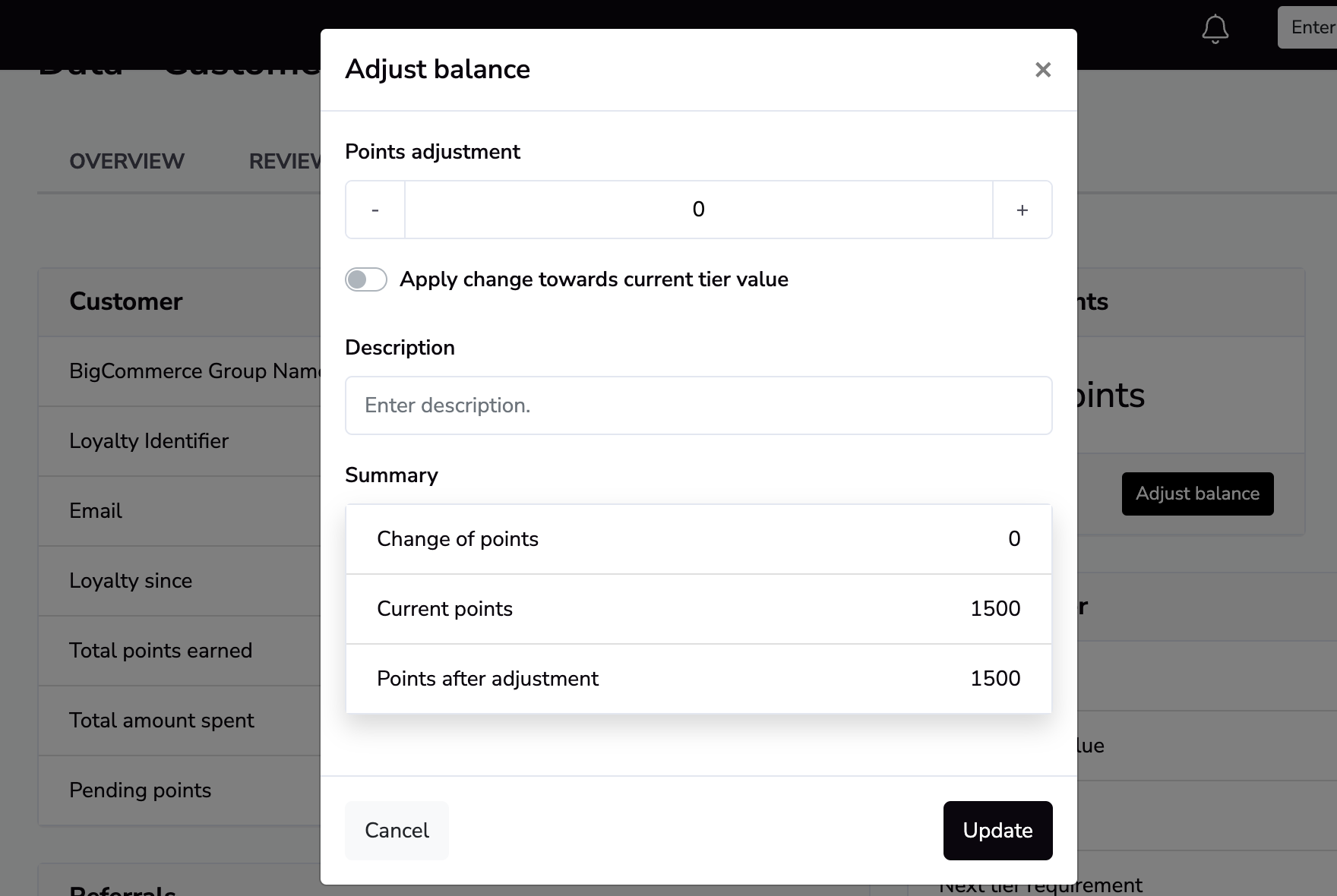
To add or remove points manually for a customer, click "Adjust Points" in the Current Points container. Type the amount of points you want to add to their account and add an optional description.
To subtract points, add a minus symbol (-) before the numerical number.
Viewing Activity
SiteVibes will show you all the activity for a particular customer in the Activity section of the loyalty view. In Activity, there are multiple tabs.
Changes - This will show any changes made to the customers loyalty points
- Points Earned - This will show how a customer has earned points based on the available ways to earn
- Rewards - This will show any open Rewards (coupons) a customer has available
- If you click the Reward, it will show you the corresponding data like the coupon code
- Referrals - This will show any referrals this customer has made and if the referral is pending or completed
- Available Ways to Earn - This will show all the available ways to earn points and also allow you to manually mark a way to earn, like following on social media, as completed